Test APIs by Postman
In this step, we will test operation of the APIs using Postman tool.
Test the Listing API (GET)
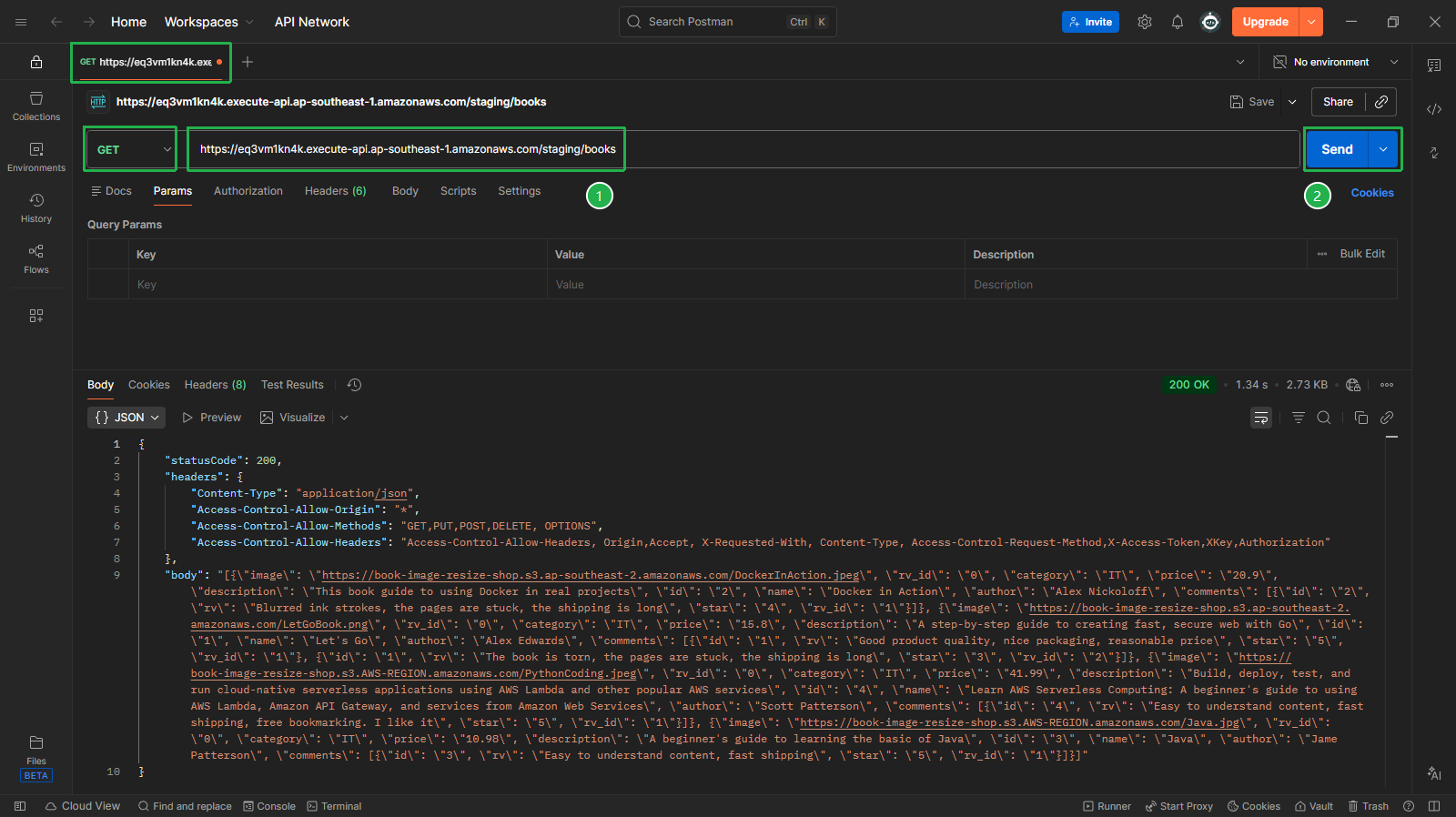
- Open Postman and create a new tab:
Select GET method
Enter Invoke URL of the GET API from the previous step (e.g.,
https://<api-id>.execute-api.ap-southeast-1.amazonaws.com/staging/books)Click Send
Check the returned result (200 OK) with all data from Books table
Test the Writing API (POST)
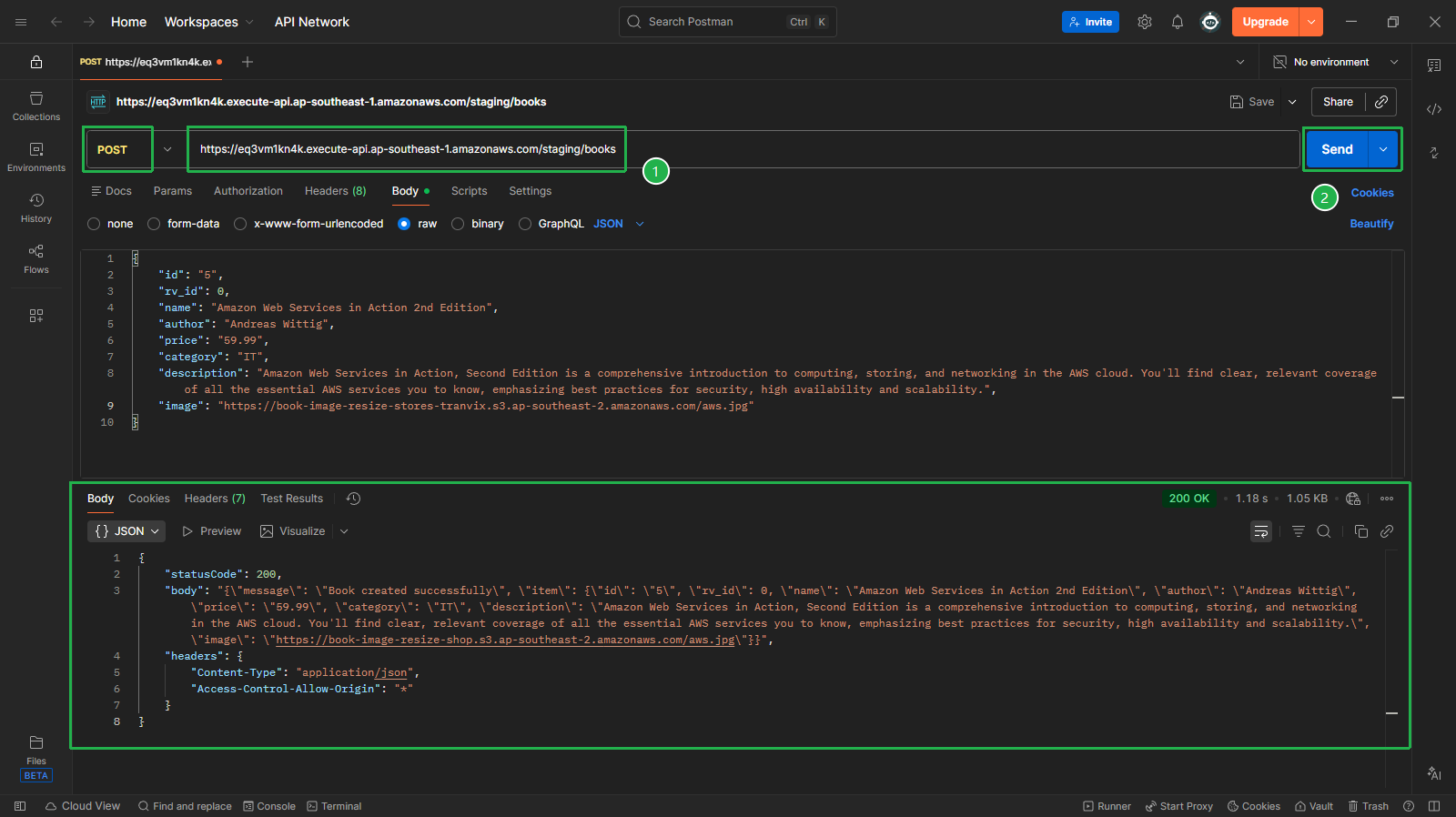
Create a new tab:
Select POST method
Enter Invoke URL of the POST API
In Body section, select raw and JSON
Enter the JSON content:
{ "id": "5", "rv_id": 0, "name": "Amazon Web Services in Action 2nd Edition", "author": "Andreas Wittig", "price": "59.99", "category": "IT", "description": "Amazon Web Services in Action, Second Edition is a comprehensive introduction to computing, storing, and networking in the AWS cloud. You'll find clear, relevant coverage of all the essential AWS services you to know, emphasizing best practices for security, high availability and scalability.", "image": "https://book-image-resize-store.s3.ap-southeast-2.amazonaws.com/aws.jpg" }- Click Send and check the returned result (200 OK)
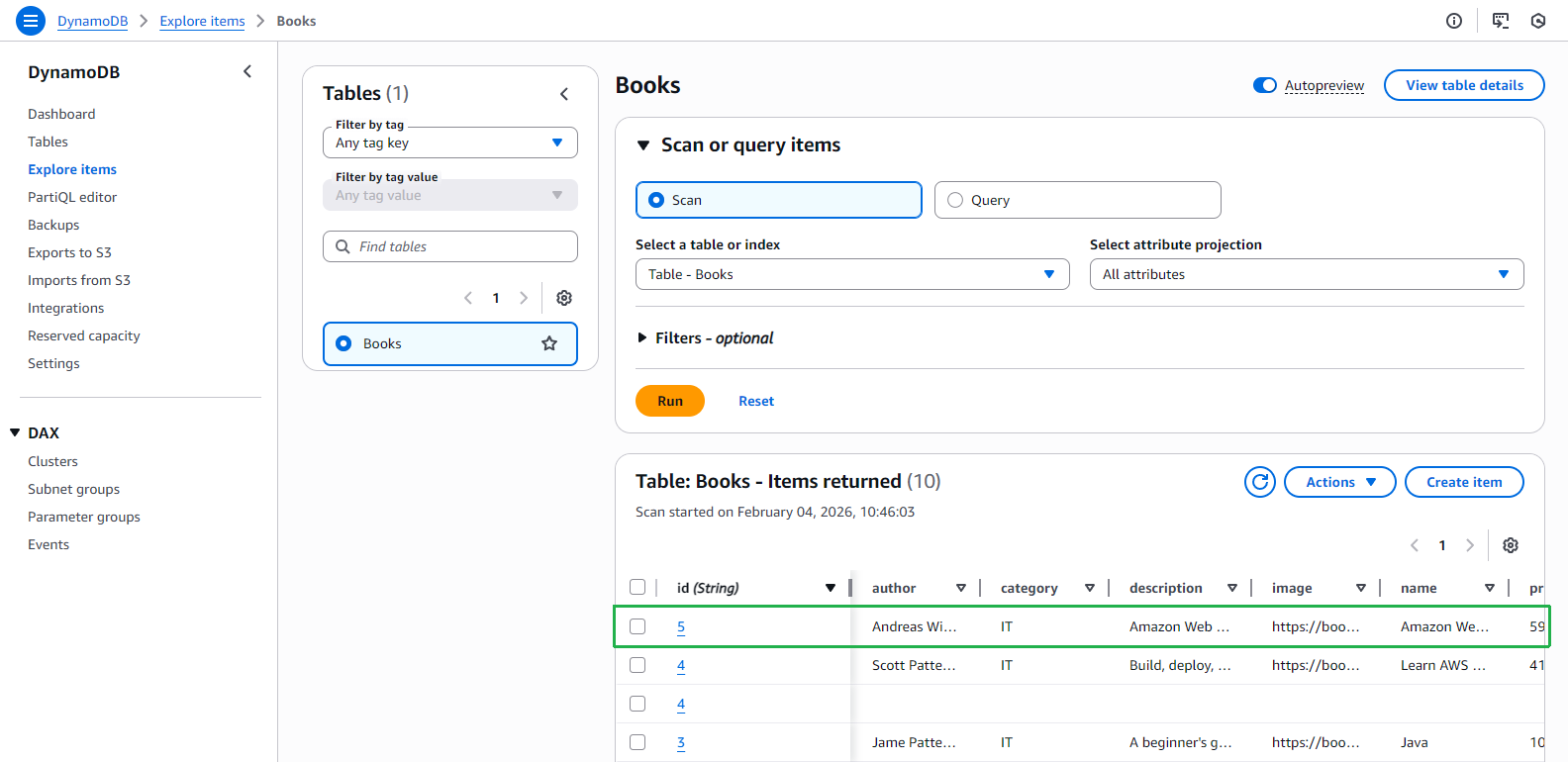
- Open Books table in DynamoDB console to check data. New item with id=5 has been added
Test the Deleting API (DELETE)
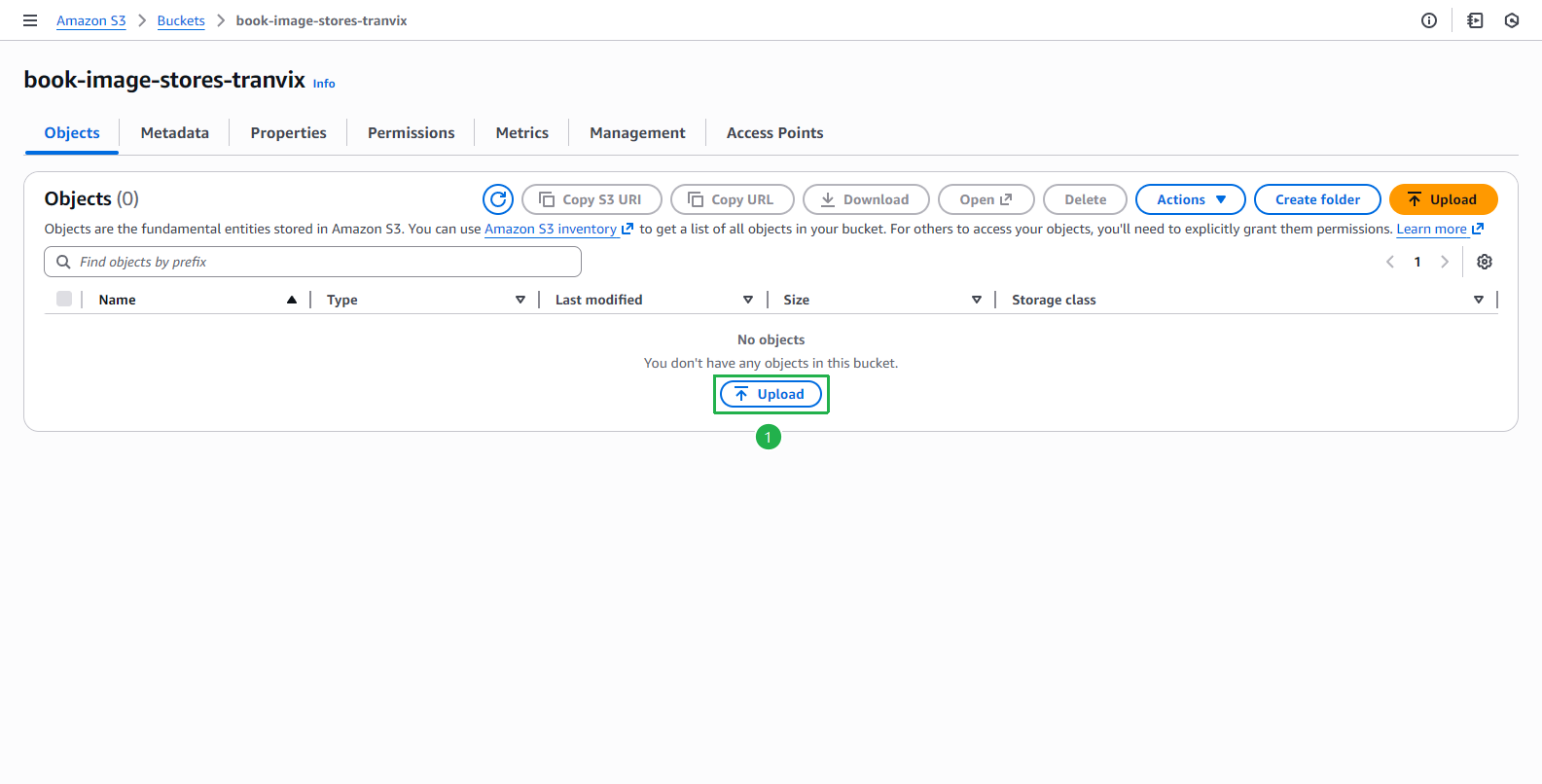
Since the delete Lambda function deletes the image uploaded by the user, we manually upload the image to the S3 bucket so the API can run properly.
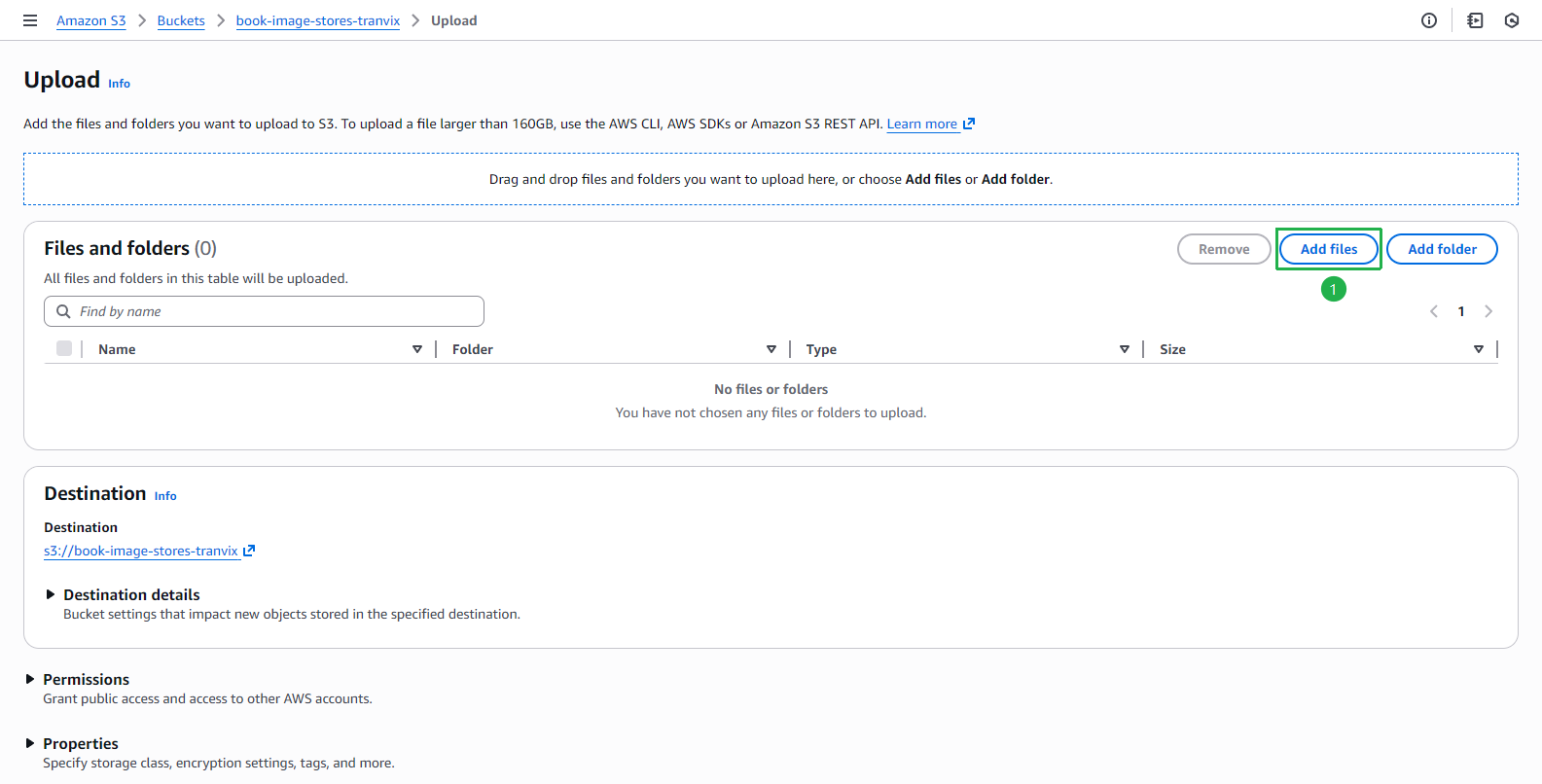
- Open Amazon S3 console, select bucket book-image-stores-tranvix and click Upload
Click Add files
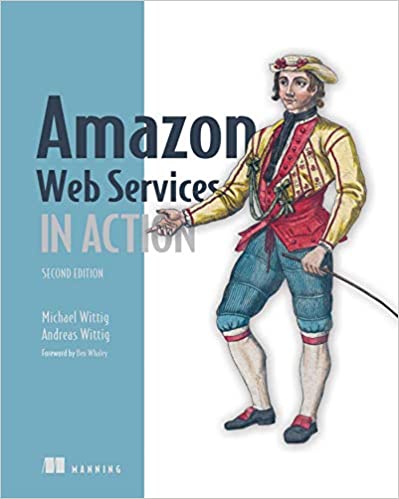
Download the image below and select it to upload to S3: aws.jpg
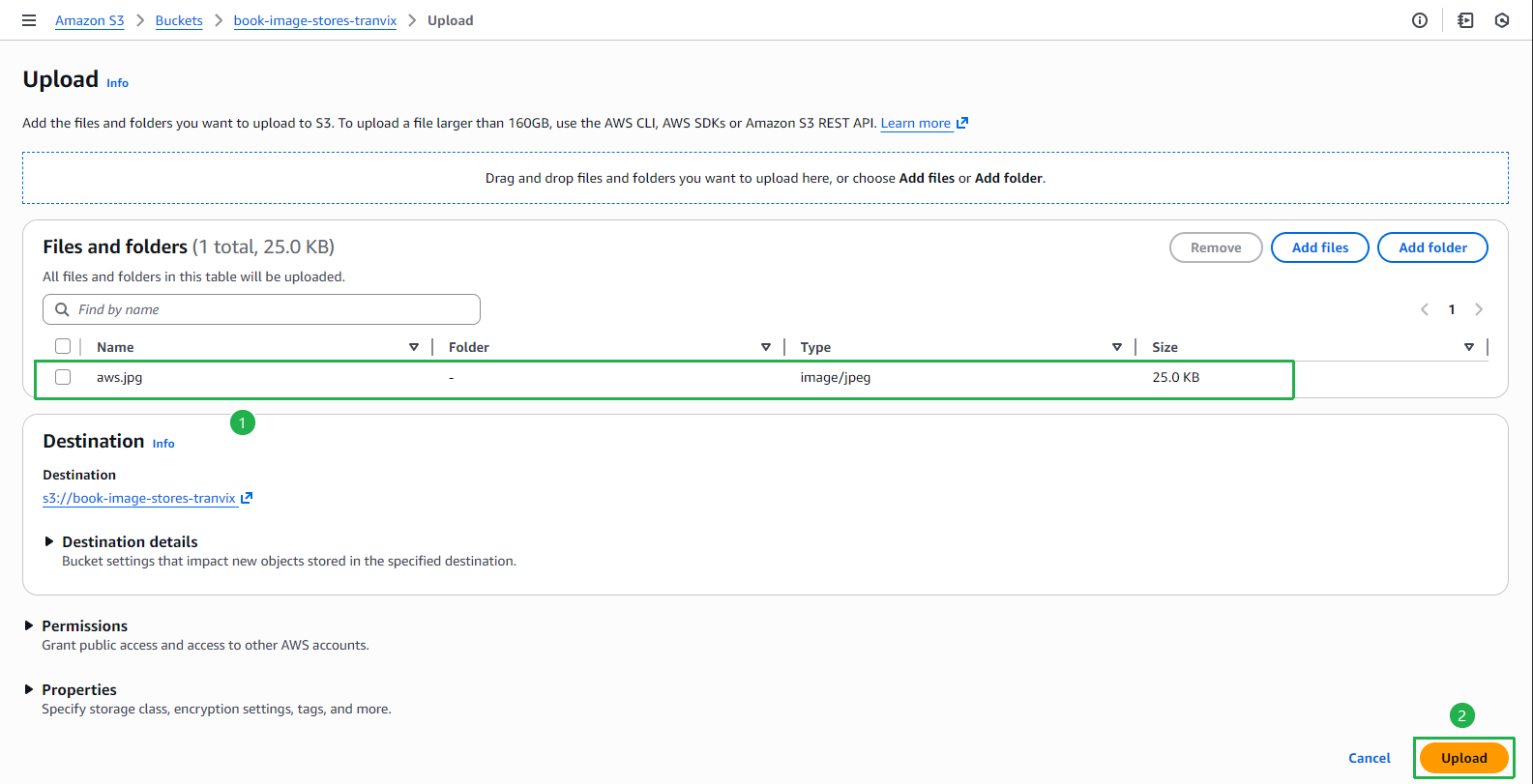
Select file aws.jpg and click Upload
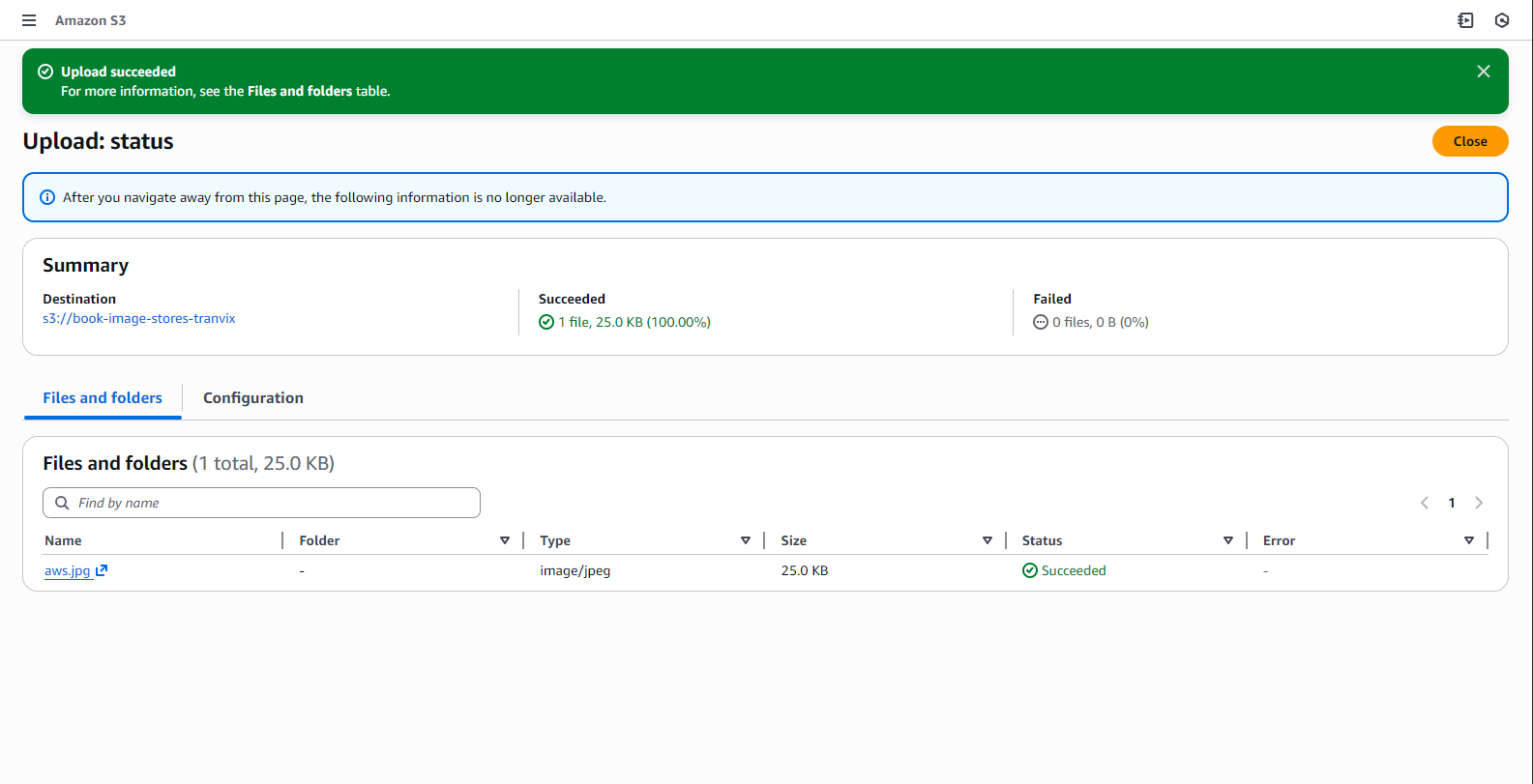
Upload successful
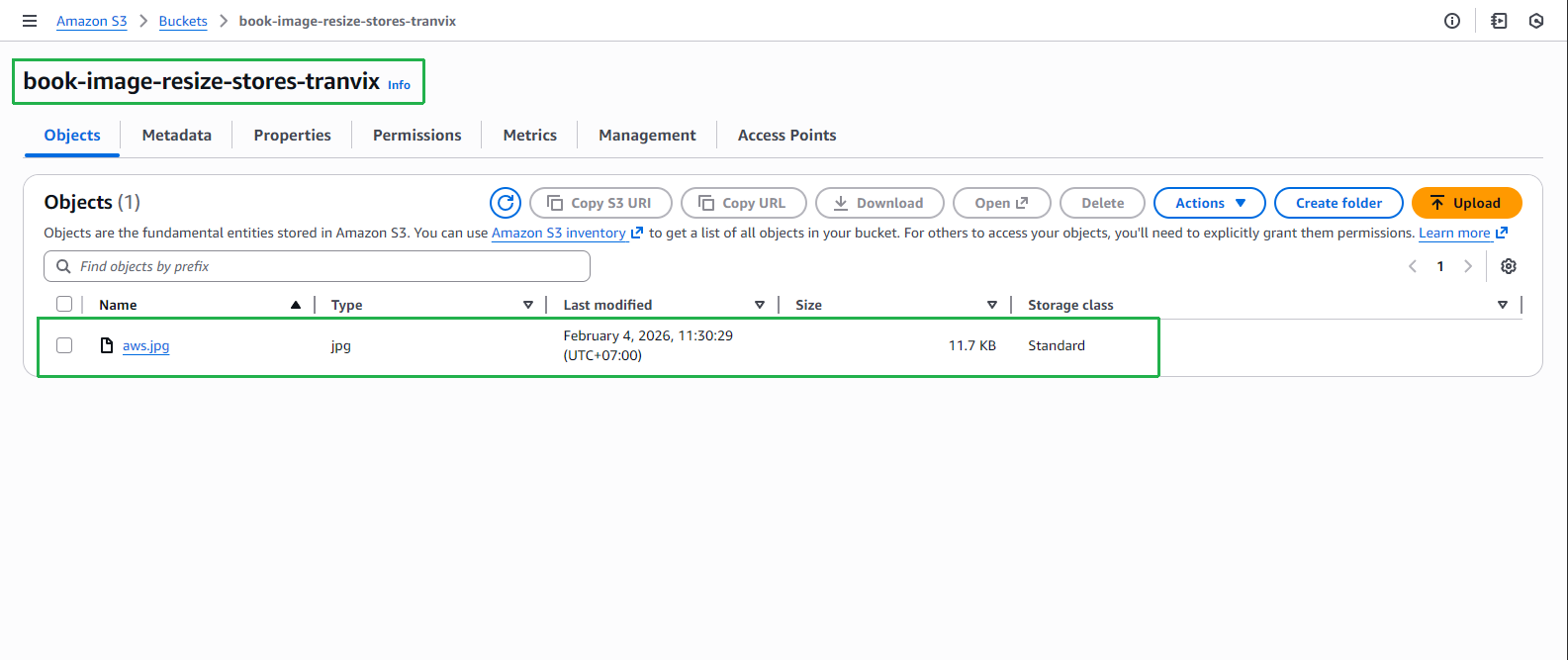
Switch to bucket book-image-resize-stores-tranvix to check. The image has been resized by Lambda function resize_image
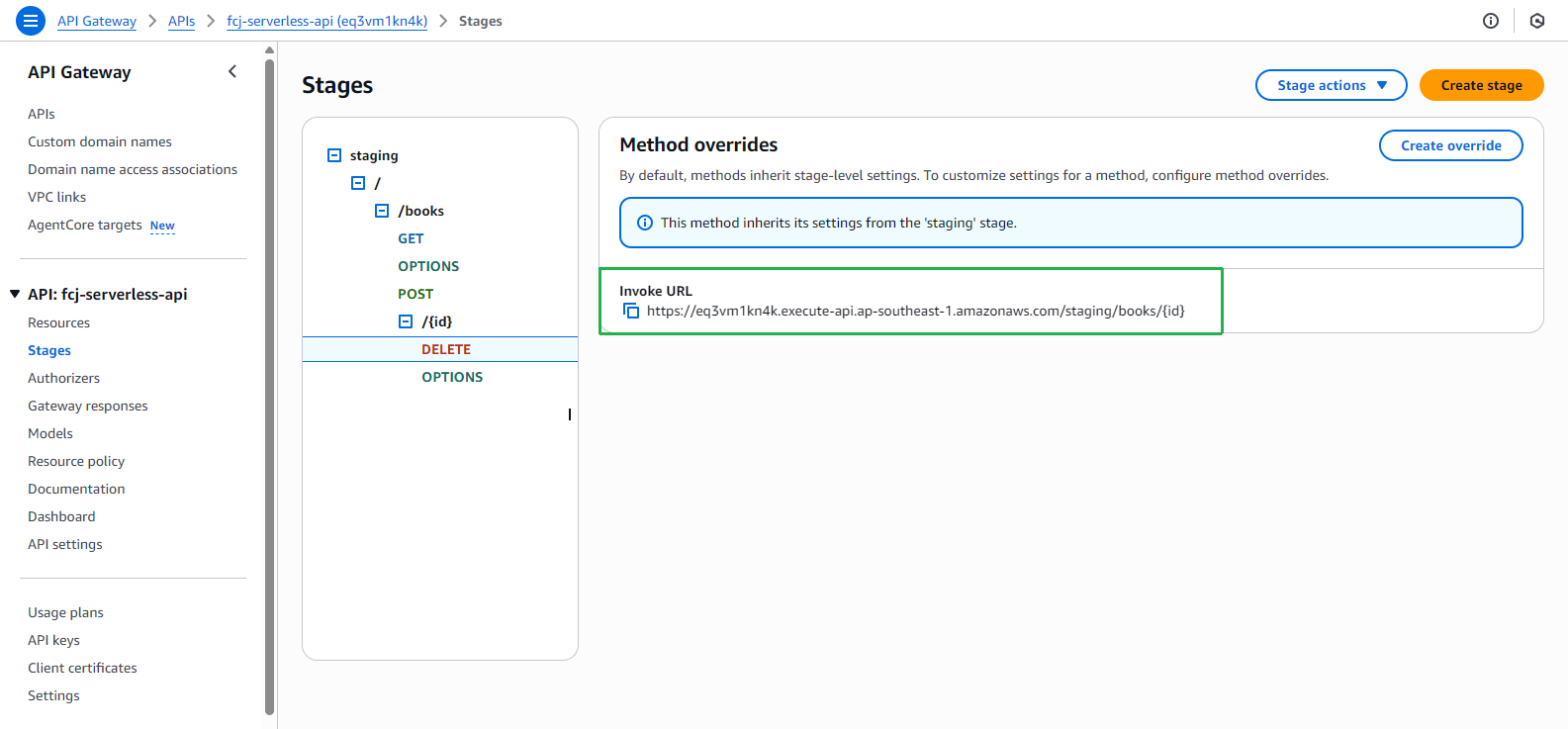
Go back to API Gateway to get Invoke URL for DELETE method
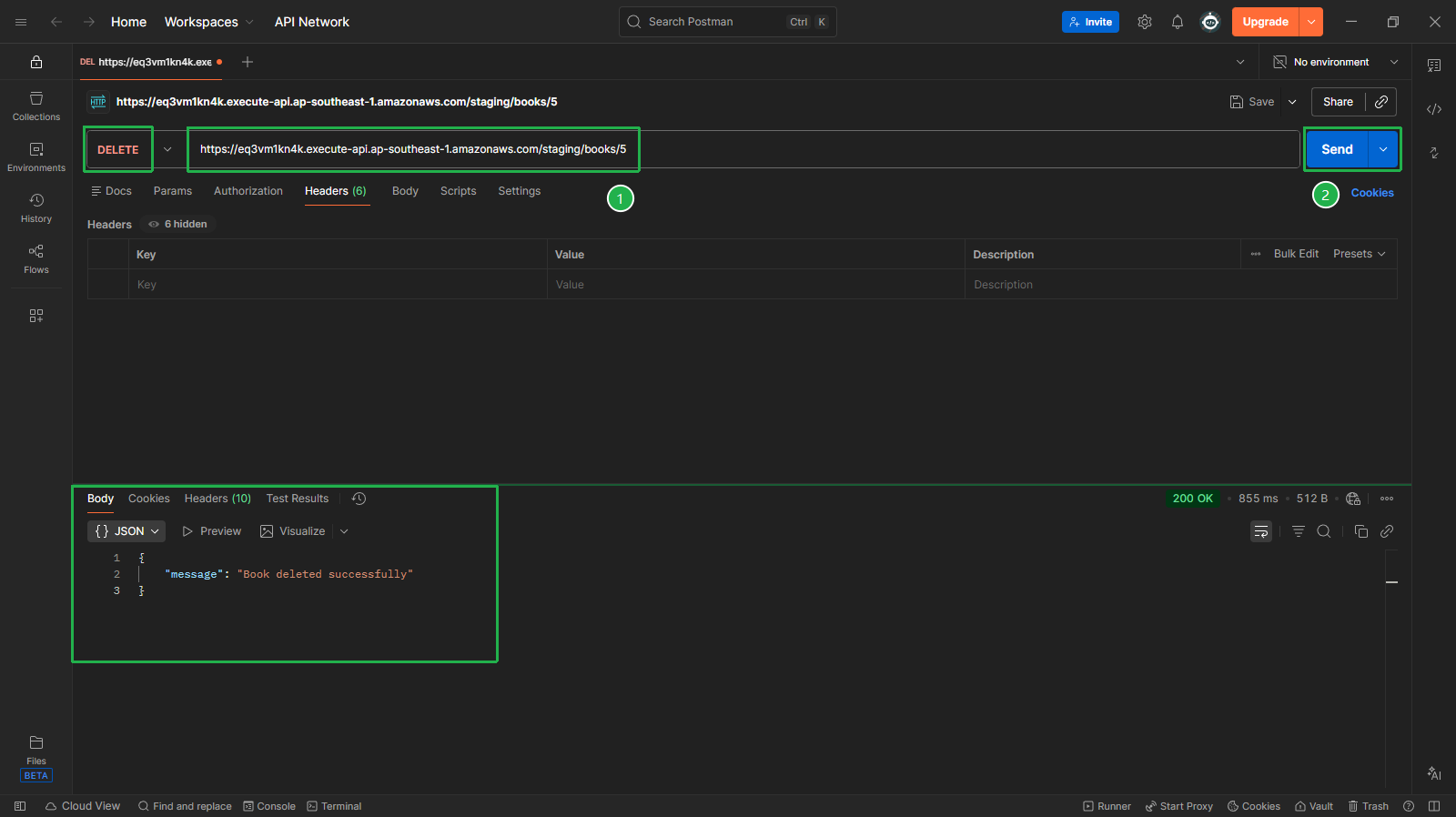
Back to Postman, add a new tab to call the delete API:
Select DELETE method
Enter Invoke URL of the DELETE API, replace {id} with 5 (e.g.,
https://<api-id>.execute-api.ap-southeast-1.amazonaws.com/staging/books/5)Click Send
Check the returned result (200 OK) with message “Book deleted successfully”
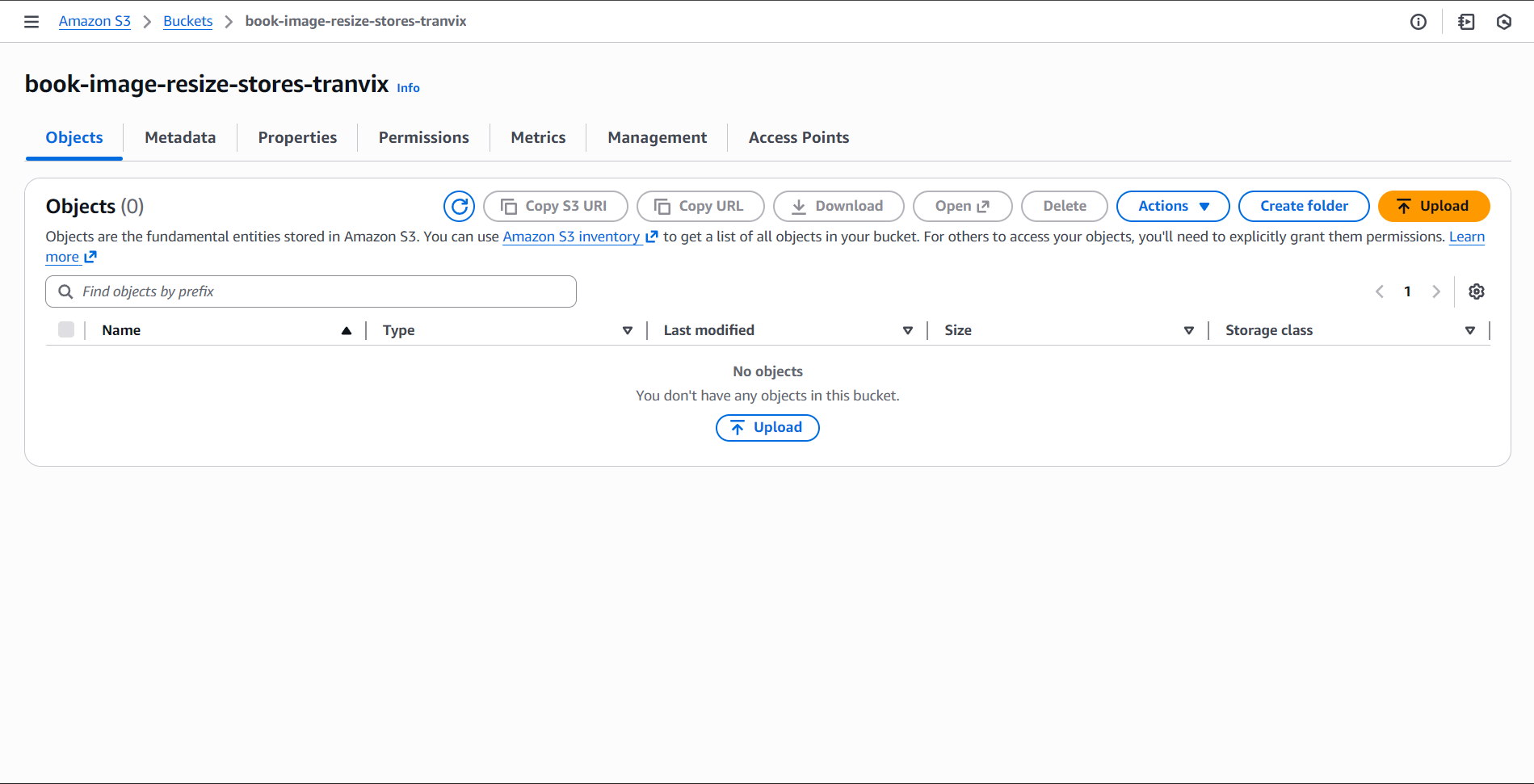
- Open bucket book-image-resize-stores-tranvix to check result. The aws.jpg image has been deleted
So we have successfully tested all APIs: GET, POST and DELETE.