Cleanup
After completing the workshop, we need to clean up the resources we created to avoid incurring costs.
1. Delete DynamoDB Table
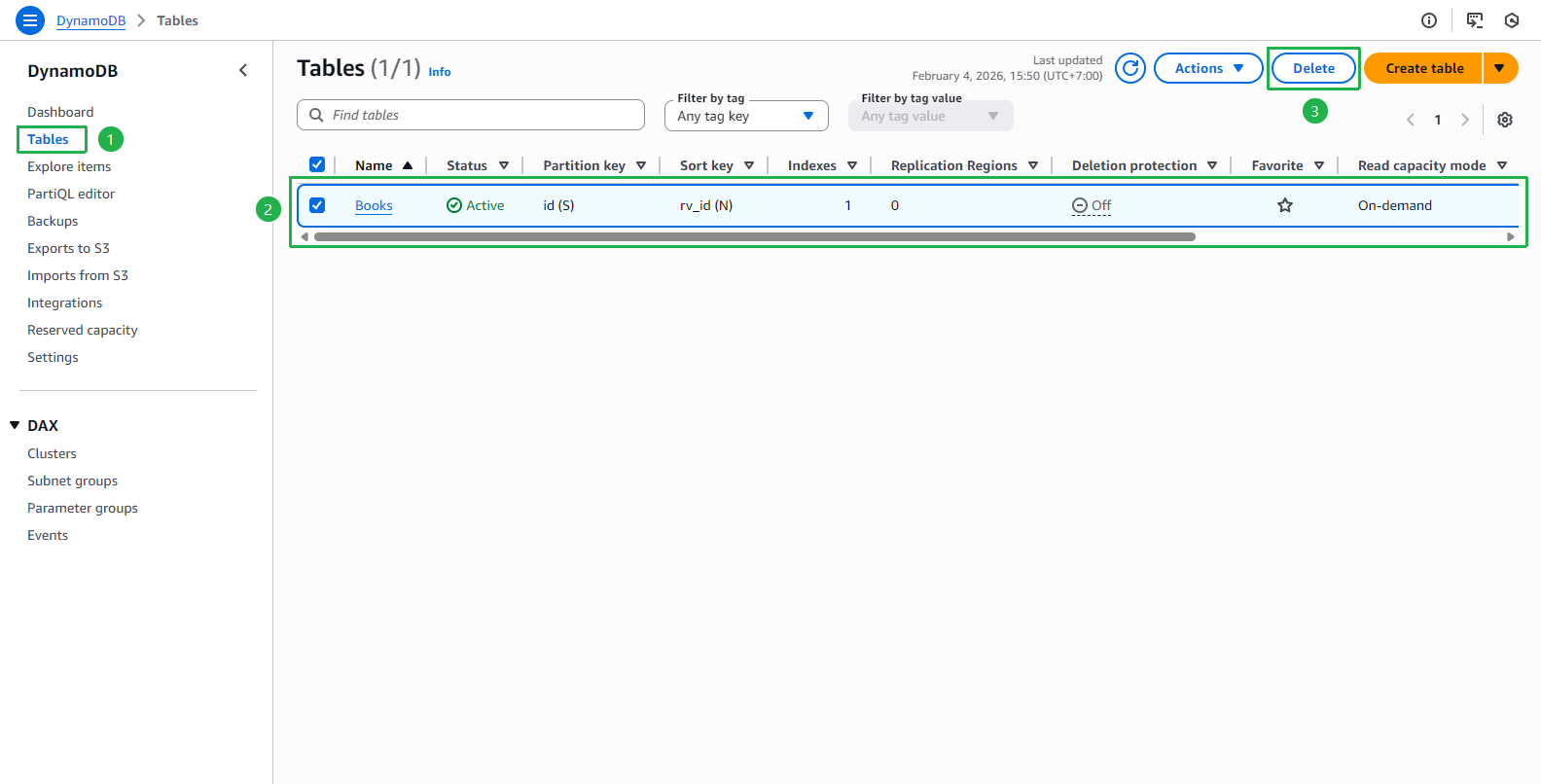
Open DynamoDB console
Select Tables from the left menu
Select Books table and click Delete
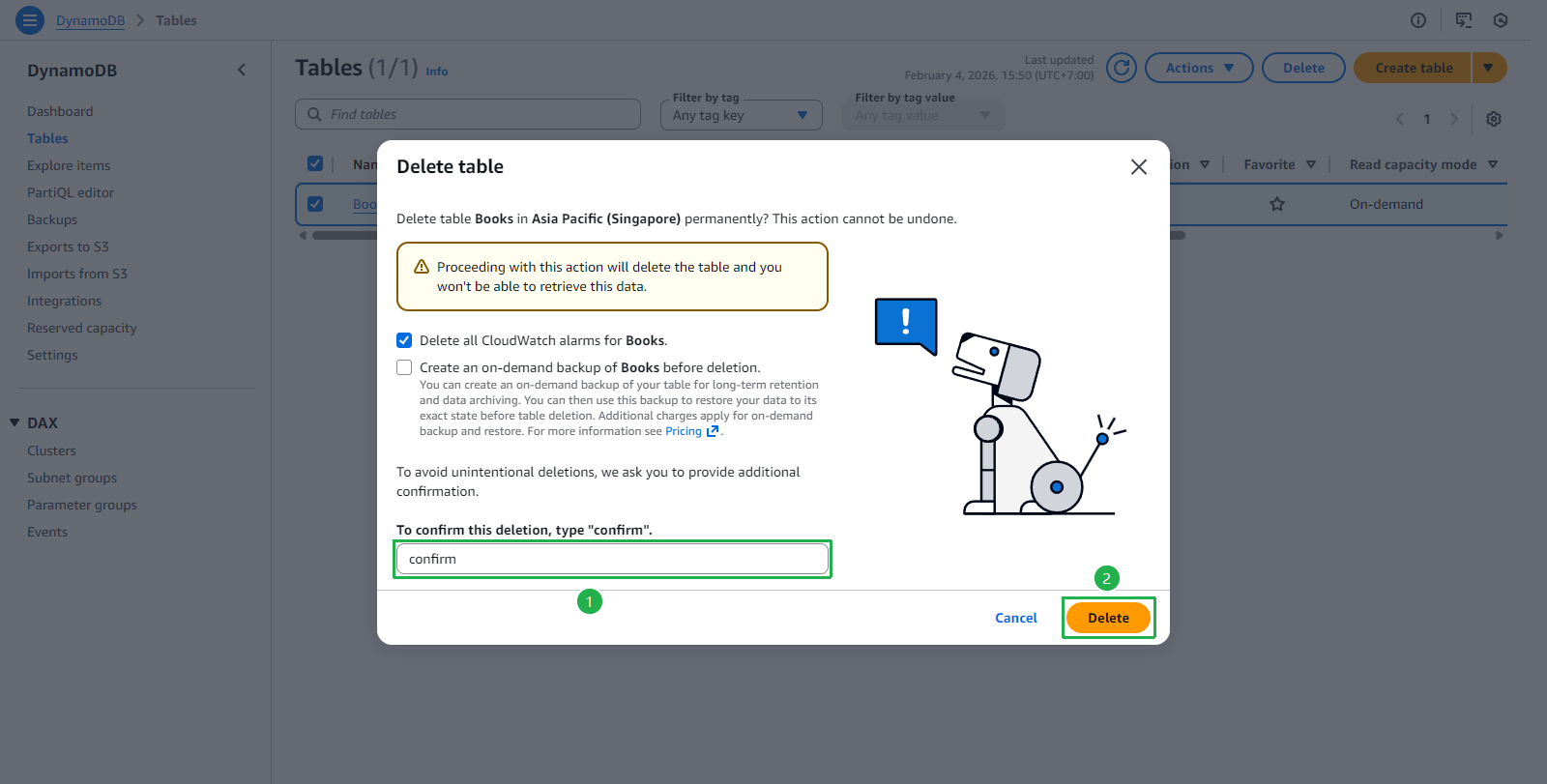
Enter confirm and click Delete
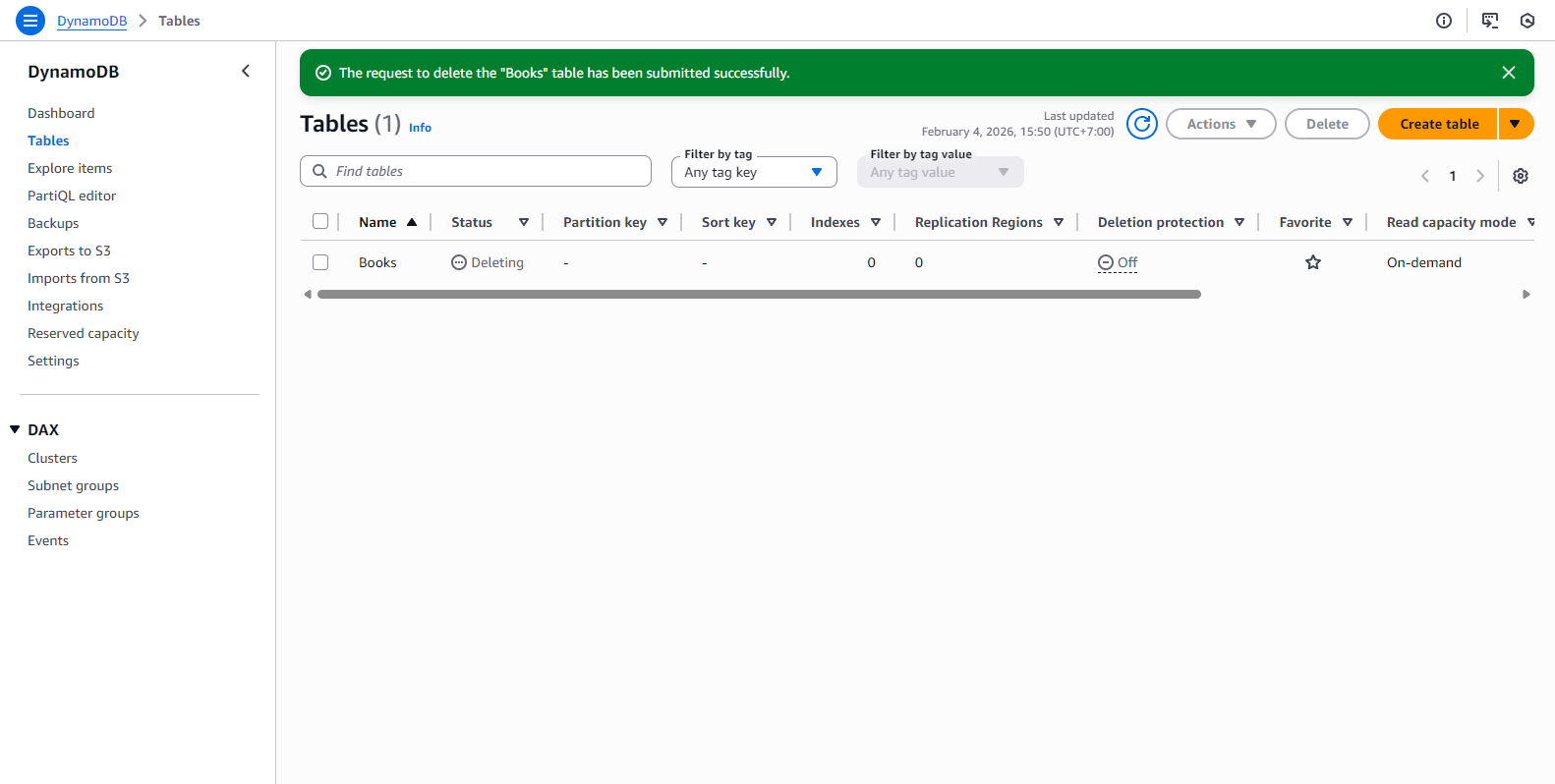
Wait for table deletion
2. Delete S3 Buckets
Open Amazon S3 console
Select bucket book-image-stores-tranvix
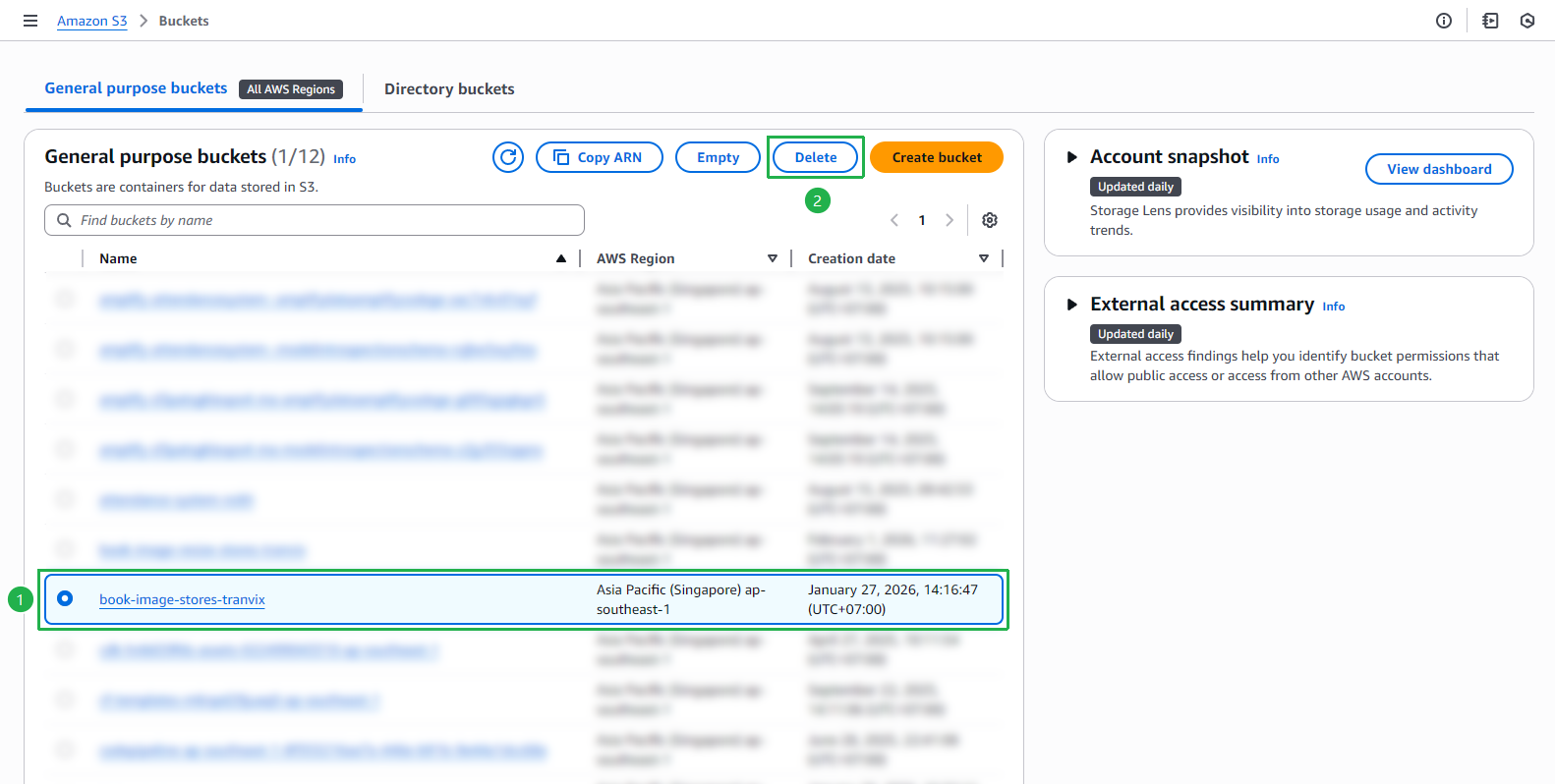
Click Empty to delete all objects in the bucket
After the bucket is empty, click Delete and enter the bucket name to confirm
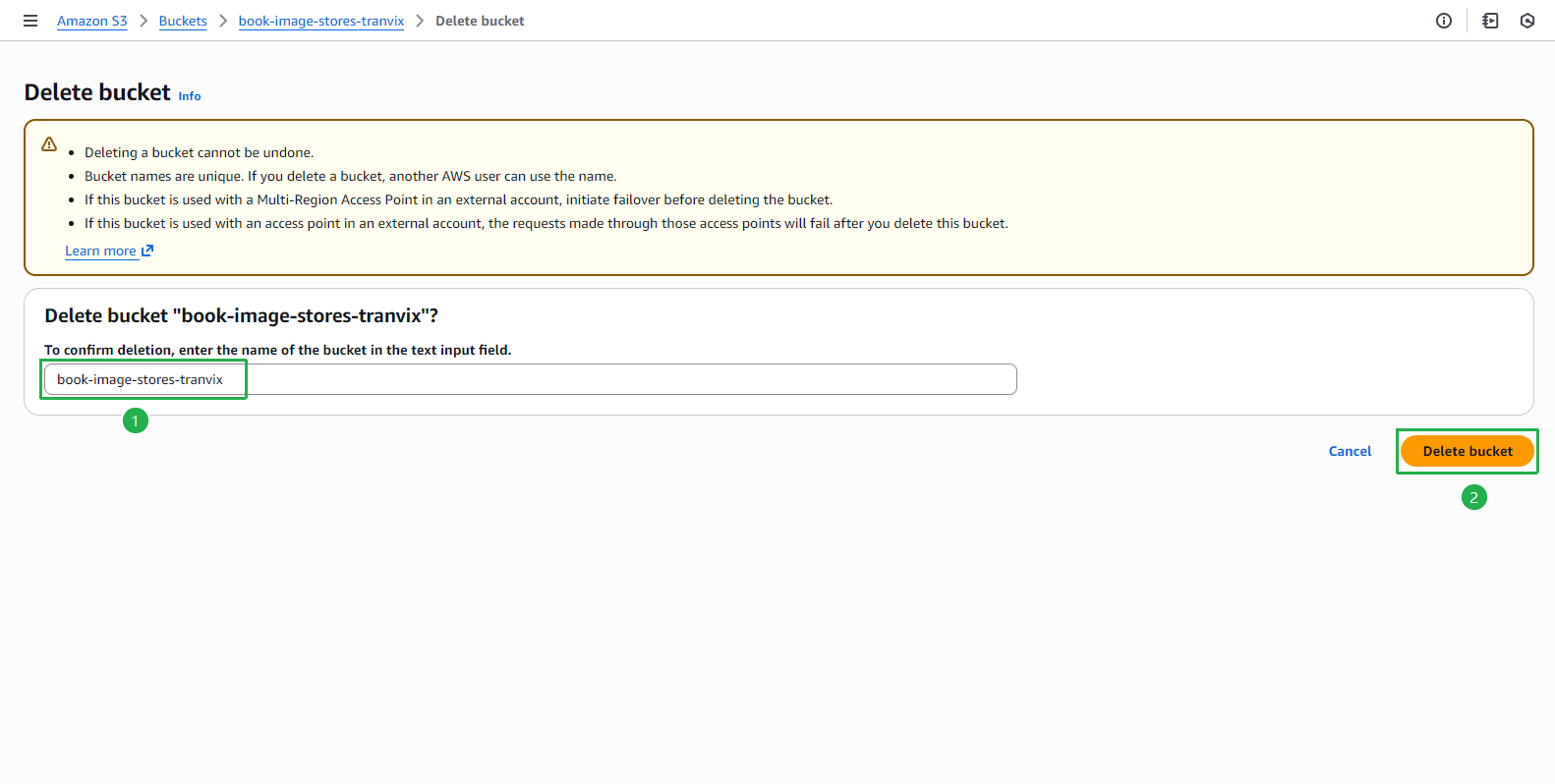
Repeat the above steps for the following buckets:
- book-image-resize-stores-tranvix
- fcj-book-shop-tranvix
3. Delete REST API
Open API Gateway console
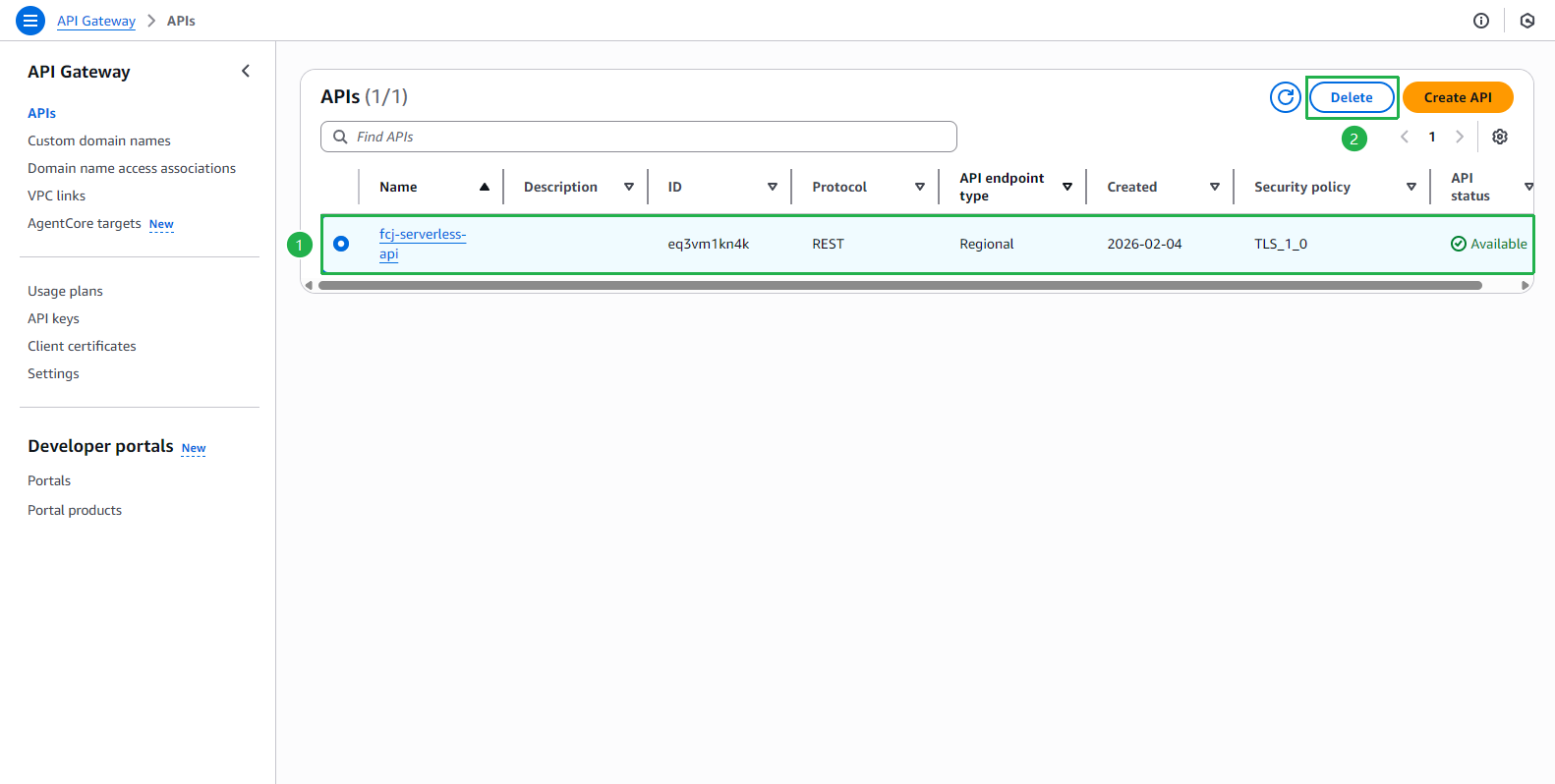
Select fcj-serverless-api and click Delete
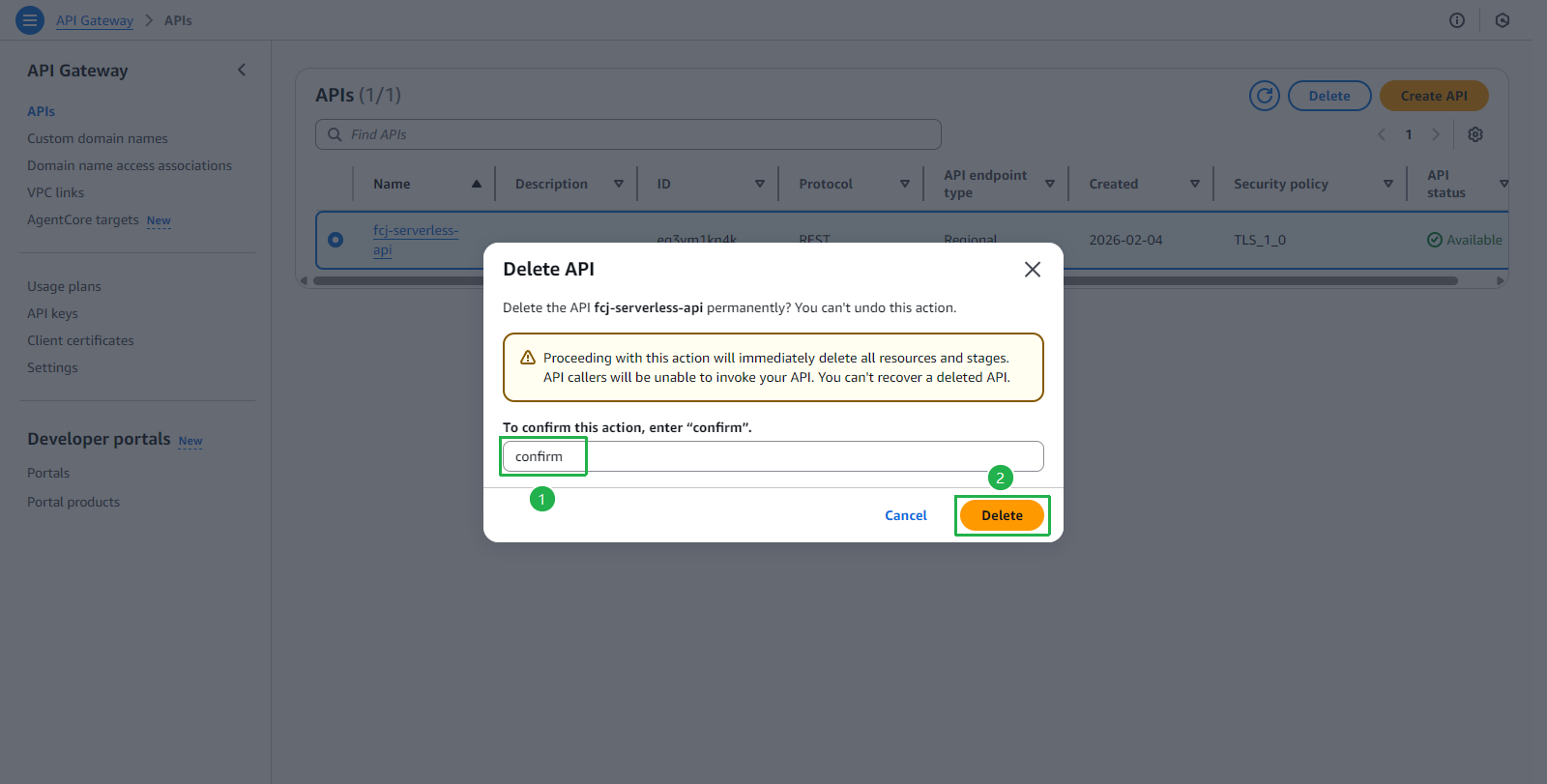
Enter confirm and click Delete
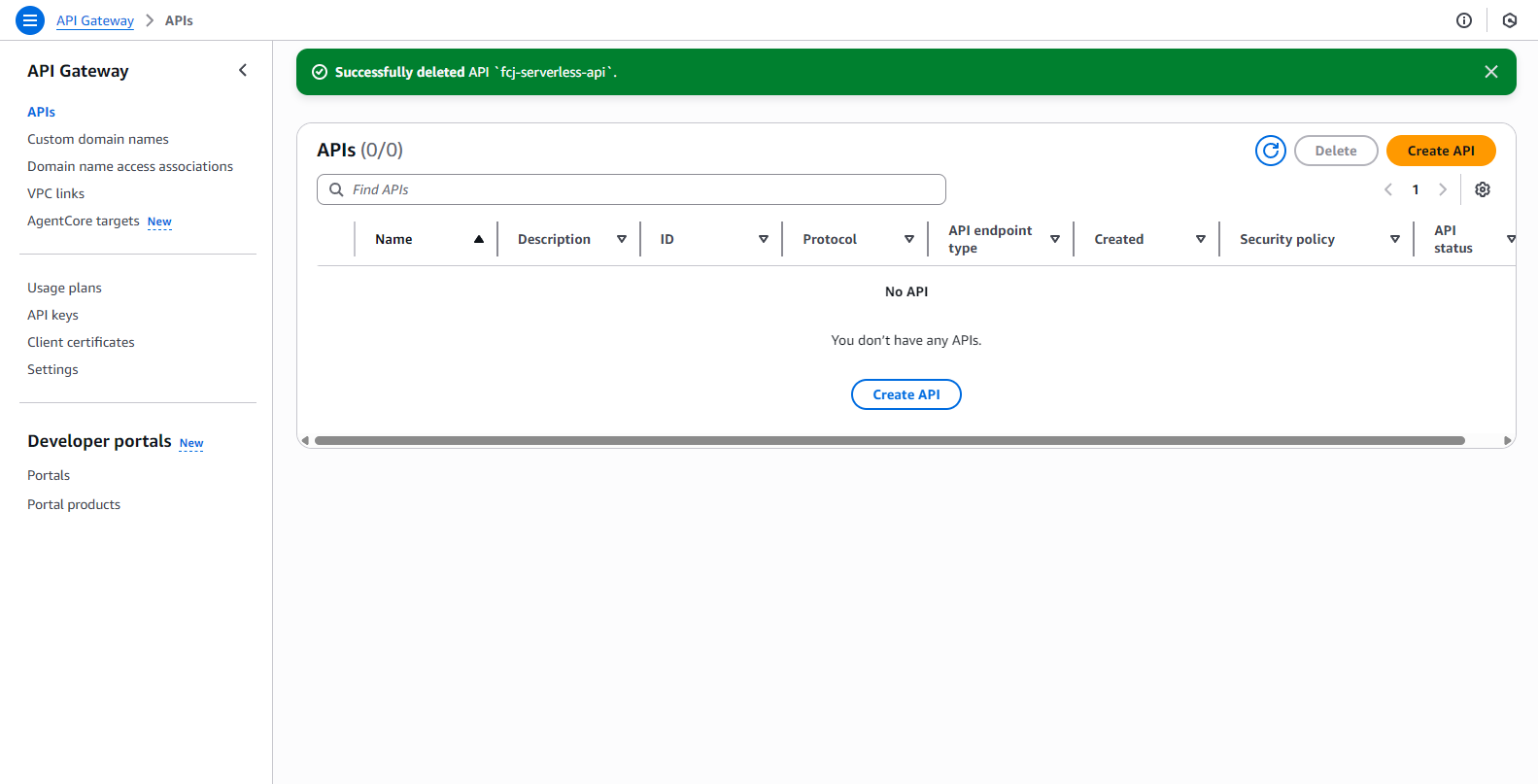
API deleted successfully
4. Delete Lambda Functions
Open AWS Lambda console
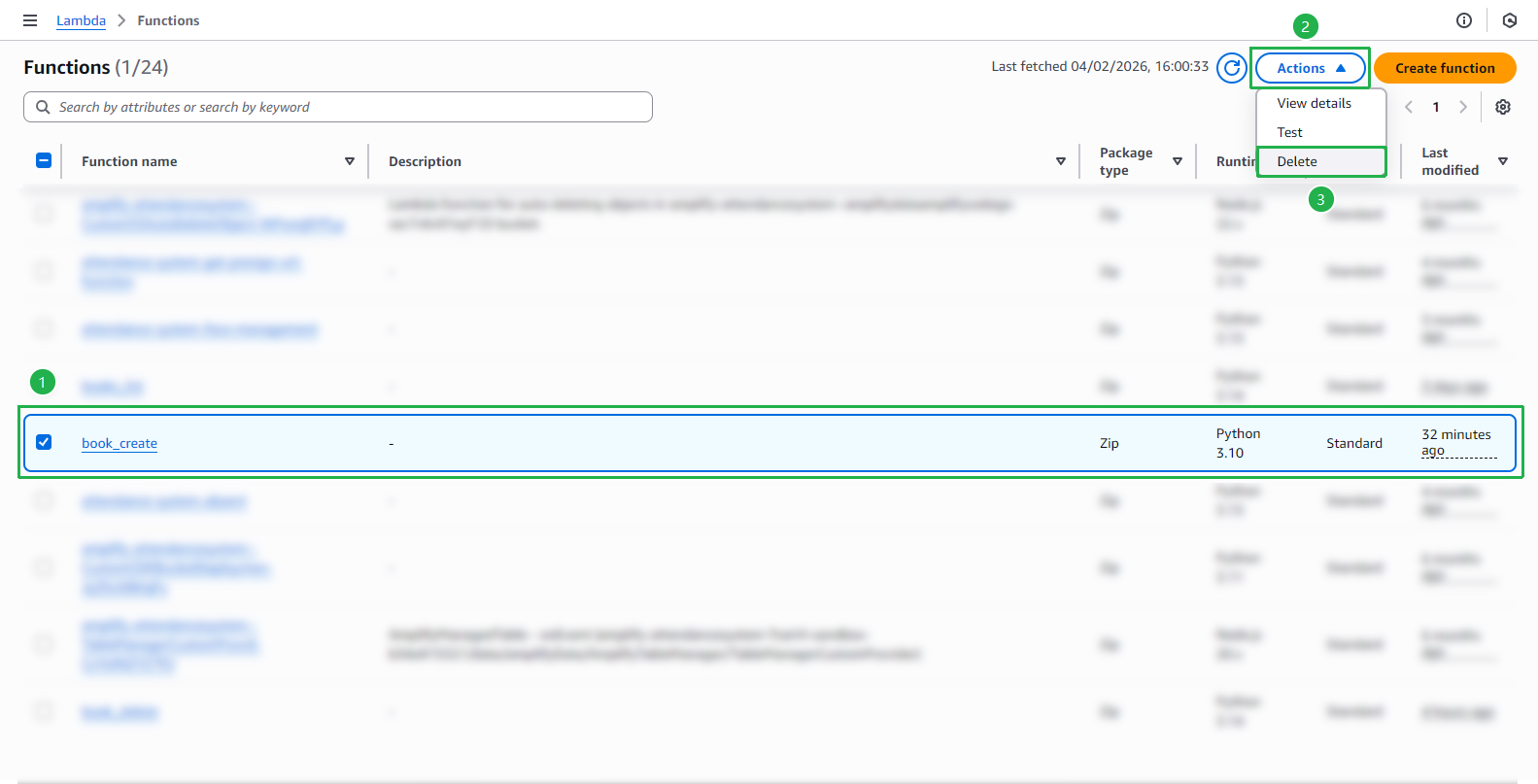
Select book_create function and click Actions → Delete
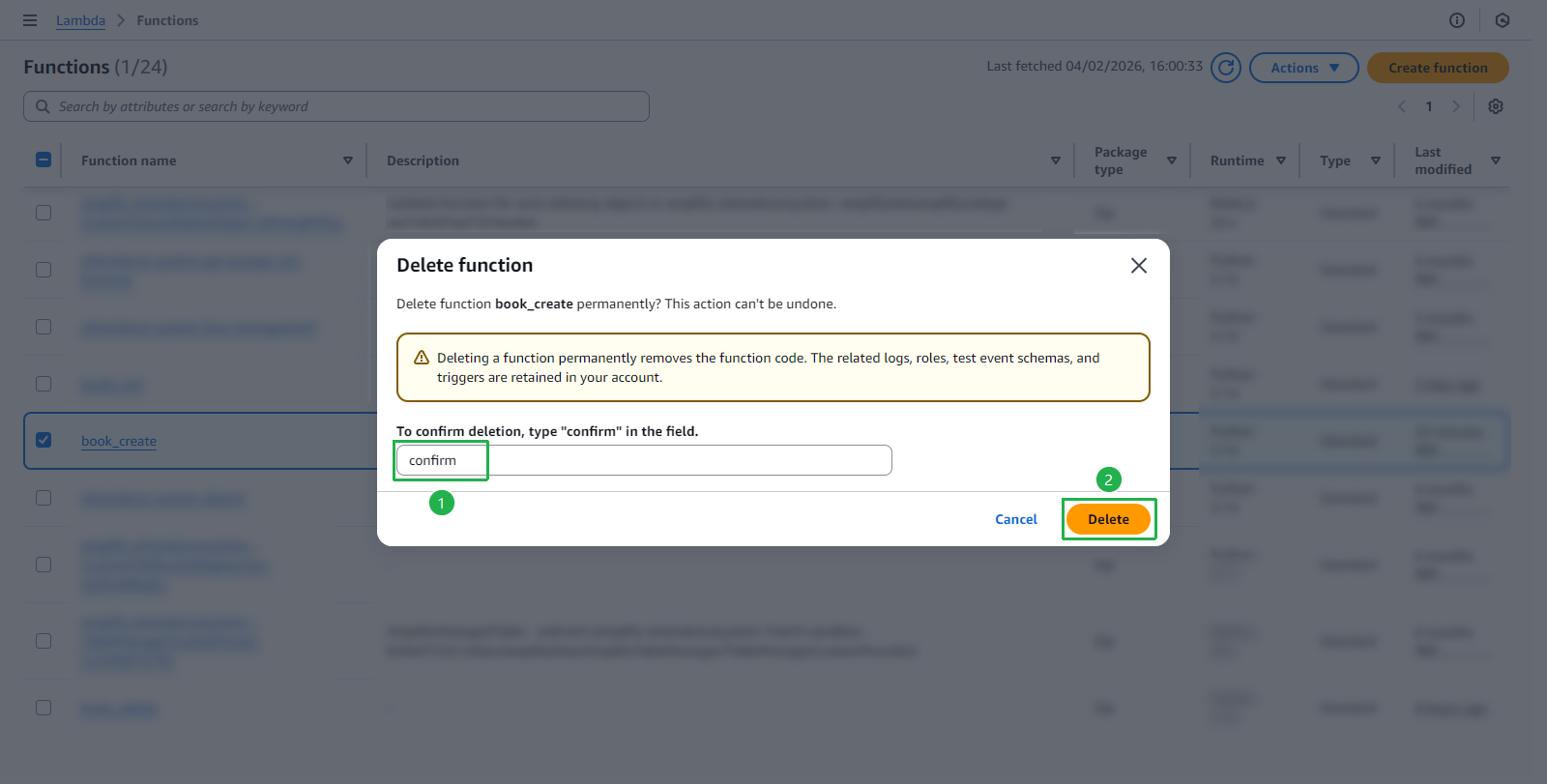
Enter confirm and click Delete
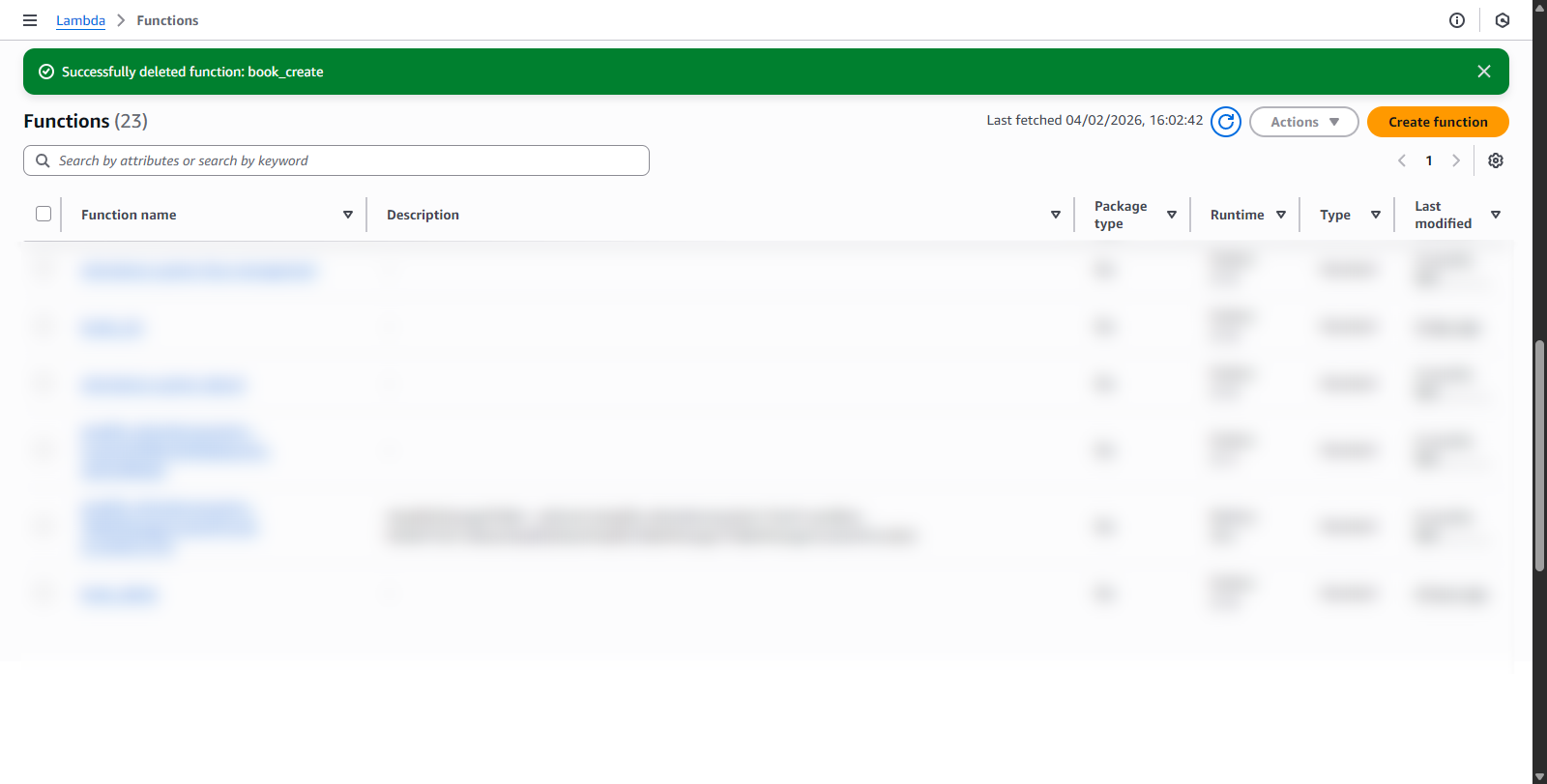
Function deleted successfully
Repeat the above steps for the following functions:
- books_list
- book_delete
- resize_image
After completing the cleanup steps, please check the services again to ensure all resources have been deleted.